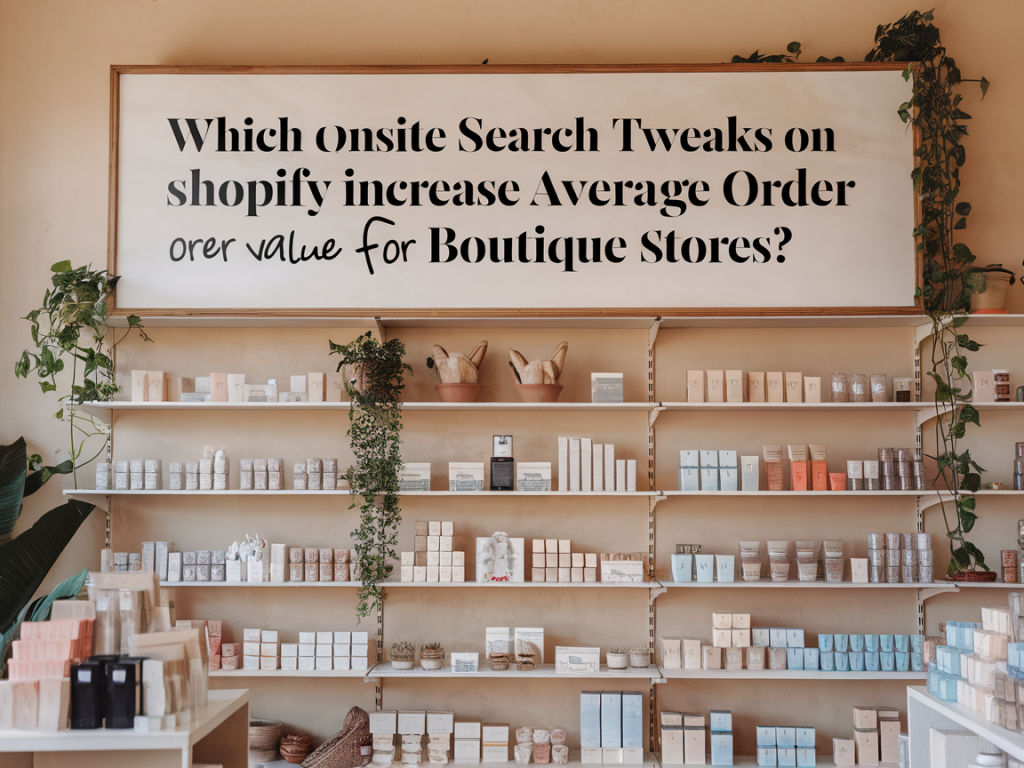
When I audit boutique Shopify stores, one of the fastest ways I find to lift average order value (AOV) is often hiding in plain sight: onsite search. Many boutique owners focus on ads, email or product pages, but a well-tuned search can turn intent into larger carts. Below I share the specific tweaks I use with clients and in my own experiments to increase AOV on Shopify — with practical implementation tips, examples, and metrics to watch.
Why onsite search matters for boutiques
Customers who use search on your site are farther along the buying journey: they're looking for something specific, or they have a higher purchase intent than visitors navigating categories. That intent makes search an ideal place to introduce relevant upsells, bundles, complementary products, and premium options — all of which increase AOV.
In boutiques, product assortments are often curated, so search relevance and merchandising can dramatically improve the match between what customers want and higher-value options you carry. A shopper searching “summer dress” is an opportunity to suggest a matching belt, sandals, or a dress in a premium fabric.
Search tweaks that directly increase AOV
- Smart autocomplete with priced suggestions: Autocomplete should show not only product names but also product thumbnails and prices. When shoppers see an attractive outfit with price in the autocomplete, they’re more likely to click and consider complementary items shown on the product page.
- Merchandised results for high-margin items: Use search rules to push high-margin or high-AOV products to the top for generic queries (e.g., “tops”, “gifts”, “leather”). This doesn’t mean misleading results but thoughtfully emphasizing items that increase spend.
- Search landing pages with intentional cross-sells: For recurring queries (e.g., “summer dress”), create a search landing page that includes collections, lookbooks, and curated bundles. These pages are great places to insert “Complete the look” sections.
- Complementary product recommendations in search results: Show an inline “add-on” carousel beside search hits — for boutiques, small accessories at lower price points (scarves, jewelry, belts) convert well as impulse add-ons.
- Bundles and prebuilt kits triggered by search queries: When a user searches for a product type, show a suggested bundle (dress + belt + scarf) with a discounted bundle price — psychologically, discounts on bundles raise perceived value and AOV.
- Synonyms and variant handling: Configure synonyms (e.g., “sneakers” = “trainers”, “bag” = “handbag”) and surface premium variants (silk, leather) in results. If shoppers are shown premium variants early, average cart prices go up.
- Price-based filtering nudges: Offer preset filters like “Under $50”, “$50–$150”, “Gift-worthy ($150+)” and nudge users toward the middle or premium tiers with curated picks.
- Zero-results recovery with curated selections: When search returns no exact matches, present curated alternatives including bestsellers and a “Complete the look” section — this prevents drop-off and often increases AOV through suggested combos.
Shopify-specific implementations and tools
Shopify’s native search has improved but many boutiques get better results (and upsell options) by using apps or the Shopify Search & Discovery app. Here are practical approaches I use:
- Shopify Search & Discovery: Use it to create custom search rules for merchandising and synonyms. It’s cost-effective and integrates well with Shopify’s product data.
- Third-party search apps: Tools like Searchanise, Algolia (now often available via integrations), and Klevu offer advanced autocomplete, merchandising, and analytics. They also let you display complements and bundles directly in search results.
- Product recommendations apps: Pair search with a recommendations engine (e.g., LimeSpot, Nosto, or Shopify’s own product recommendations) to surface “frequently bought together” items in search pages and results.
- Bundling apps: Use Bold Bundles, Bundle Builder, or other bundling apps to create and show bundle options directly from search landing pages or autocomplete pop-ups.
UX copy and microcopy that encourage higher spend
Small wording changes can nudge shoppers toward higher-value choices. I recommend:
- Prominent scarcity/urgency microcopy: “Only 3 left in stock” or “Limited run — free returns” near search results for premium items increase conversion and willingness to pay.
- Value framing on bundles: Instead of “Save $10”, try “Complete the look for $XX — Save 15%” — this frames the bundle as a cohesive outfit rather than just a discount.
- Social proof in search results: Showing quick review snippets or “Best seller” tags in search results guides buyers to higher-converting, often higher-AOV items.
- Gift-focused language for higher tiers: Use “Gift-worthy” or “Treat yourself” labels on premium options to justify larger spends.
How I structure search pages to boost AOV
When I design search landing pages for boutiques, I follow a consistent structure that nudges customers toward larger carts:
- Top: Search bar with autocomplete and relevant category shortcuts
- Hero/results area: Merchandised products with visible price and “add to cart” or “view bundle” CTA
- Side or inline: Complementary product carousel (accessories or add-ons under $50)
- Below results: Curated bundles or “Shop the look” modules showing full outfit with bundle pricing
- Footer/after results: Recommendations based on the user’s query and bestsellers
Metrics to track and experiment with
To ensure changes actually move AOV and revenue, I monitor these KPIs:
| Search conversion rate | Percentage of search users who make a purchase |
| Average order value (AOV) — search segment | Compare AOV for users who used search vs. those who didn’t |
| Add-on attachment rate | How often a complementary item is added from search pages |
| Bundle uptake | Percentage of purchases that included a suggested bundle |
| Zero-result rate | How often searches return no results — and conversion on those pages |
Testing ideas and quick experiments
For boutiques, small A/B tests can reveal big wins. Here are experiments I run in the first 30 days:
- Autocomplete with vs. without thumbnails/prices — measure CTR and conversion
- Push premium variant vs. organic ranking for the same query — measure AOV uplift
- Show “Complete the look” bundle vs. no bundle on search landing pages — measure bundle uptake and overall AOV
- Display lower-priced accessories inline vs. only on product pages — measure attachment rate
Examples from my shop audits
One boutique I worked with had high traffic but low AOV. By implementing merchandised search rules and adding a “Shop the look” module on popular search results, we increased search-AOV by 22% in 6 weeks. Another store used a third-party search app to enable priced autocomplete and a small add-on carousel; the attachment rate for accessories rose from 8% to 19%.
These wins aren’t magic — they’re the result of aligning search intent with thoughtful merchandising, clear CTAs, and simple psychological nudges. If you’re running a boutique on Shopify, start by auditing your search queries and identify the top 20 searches. Then apply one tweak (autocomplete, merchandising, or a bundle) per week and measure the impact.