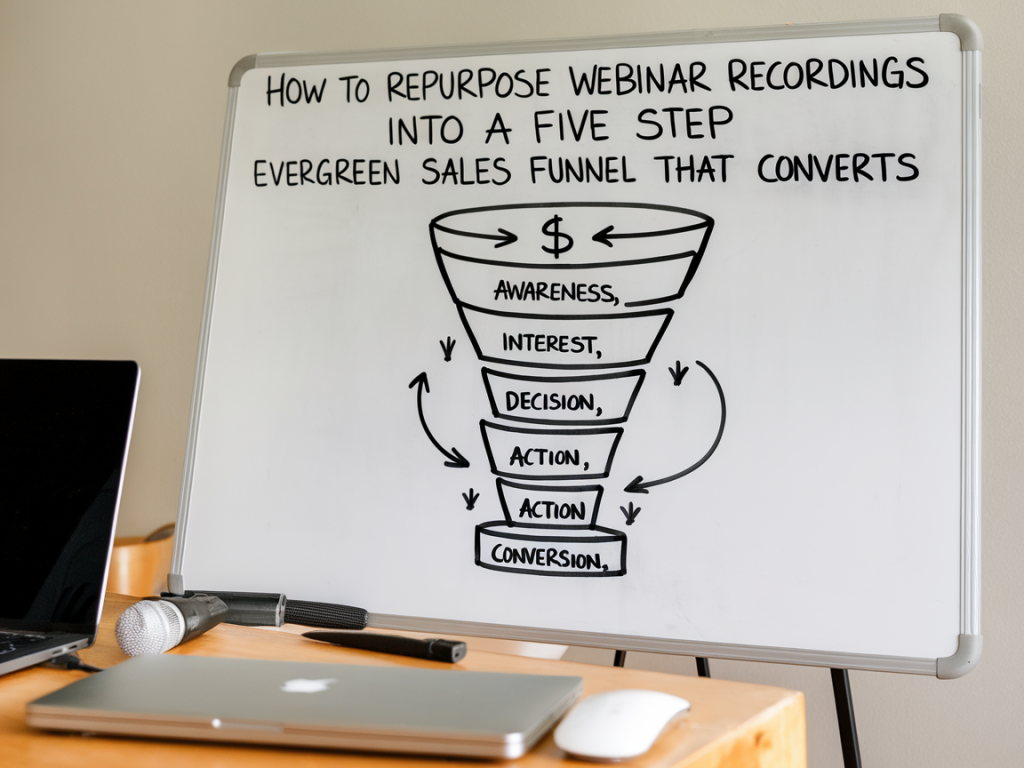
I’ve run dozens of live webinars and, if I’m honest, I used to treat each one like a one-off event: a lot of prep, a spike in registrations, a few sales... and then silence. Over time I learned that the real value of a webinar lies in its recordings. By repurposing them into an evergreen sales funnel, you can turn a single piece of content into a predictable revenue machine that works while you sleep.
Why turn webinar recordings into an evergreen funnel?
People ask me all the time: “Aren’t live webinars better because of interaction?” Yes—live interaction is powerful for conversion. But evergreen funnels scale. A well-structured evergreen funnel lets you:
Below I’ll walk you through my five-step process to convert any webinar recording into an evergreen funnel that converts. I include practical tools and scripts I’ve used with clients, and show how to keep the funnel feeling human—even when it’s automated.
Step 1 — Audit and edit your recording into modular content
First, don’t just upload the raw recording. I start by auditing the webinar to identify the high-impact moments: the hook, the core teaching, proof/social proof, objection handling, and the pitch. Then I edit the recording into modular clips.
Why chapters? Because shorter, topic-focused videos fit into email sequences and retargeting ads better. They also make it easy to A/B test different calls-to-action (CTAs) and messaging.
Step 2 — Set up an automated registration + onboarding flow
Even if the content is evergreen, the entry experience should feel bespoke. When someone signs up to watch your webinar on-demand, they should still get a warm, structured onboarding.
Tip: Use scarcity intelligently. Instead of fake scarcity, use real benefits like limited-time bonuses or Q&A windows to encourage prompt viewing.
Step 3 — Layered viewing strategy: free value, paid next steps
My evergreen funnels work because they balance generosity with a clear path to purchase.
One format I use often: deliver the masterclass, and at the end show a 3–5 minute “offer walkthrough” that explains the next step. Then follow up with an automated sequence that includes a case study, a short Q&A clip addressing top objections, and a deadline-driven bonus.
Step 4 — Nurture with segmented email and retargeting sequences
Not everyone converts on first watch. Segment viewers and non-viewers to deliver targeted messages:
For ads, create retargeting audiences around watch-time thresholds (e.g., watched 25% vs 75%) in YouTube or Facebook/Meta. Use the shorter chapter clips as retargeting creatives. I often pair email sequences with three retargeting ads that correspond to the viewer’s stage—education, social proof, and direct offer.
Step 5 — Optimize, test, and humanise the funnel
Evergreen doesn’t mean set-it-and-forget-it. I run continuous tests on these elements:
Metrics I track weekly: registration rate, show-up/watch rate, conversion rate from viewer to buyer, and average order value. If watch rate is low, try switching the hero image to a clip of you speaking the hook, or shorten the teaser. If conversions stall, add a live Q&A add-on or a money-back guarantee to remove friction.
| Funnel Component | Quick Optimization Tip |
|---|---|
| Landing Page | Use a 30–60s welcome video and a strong outcome-focused headline. |
| Masterclass | Open with the biggest result or secret—don’t bury the value. |
| Emails | Use clip snippets (MP4/GIF) to increase open-to-click rates. |
| Retargeting Ads | Match creative to watch percentage: teach more to low watchers, offer to high watchers. |
Small human touches make a big difference. I add a short voice message or video in my emails for high-value leads, or personally respond to questions in the community. Tools like Bonjoro or Loom integrate well with ConvertKit and Kajabi to deliver that personalized feel.
Common questions I hear (and quick answers)
“Will people notice it’s not live?” They might. The trick is to create a sense of immediacy: deliver limited-time bonuses, run a live Q&A occasionally, or rotate offer messaging. Keep videos authentic—don’t overproduce everything. Viewers relate to real voices.
“How long should the masterclass be?” Aim for 30–45 minutes. That’s long enough to teach and build trust, short enough to maintain attention. If your topic requires depth, break it into two or three sessions across the funnel.
“Which platforms handle evergreen best?” Kajabi and Systeme.io are great all-in-one options. For more flexibility, use Vimeo/YouTube (unlisted) + ConvertKit/ActiveCampaign + ClickFunnels. If you need advanced scheduling and A/B testing, FunnelKit or EverWebinar provide specific evergreen webinar features.
“How do I handle live Q&A credibility?” Schedule occasional live sessions for those in the paid tier. You can run these monthly and promote them as part of the offer. This keeps scarcity real and provides social proof for future registrants.
If you want, I can help map your next webinar recording into this five-step structure and suggest a sequence of emails and ads tailored to your niche. Repurposing your content into an evergreen funnel is one of the highest leverage moves you can make—once set up, it becomes a compounding asset that feeds your business continuously.